
(wait until all images are loaded)
1. Click the icon "MySQL Database"
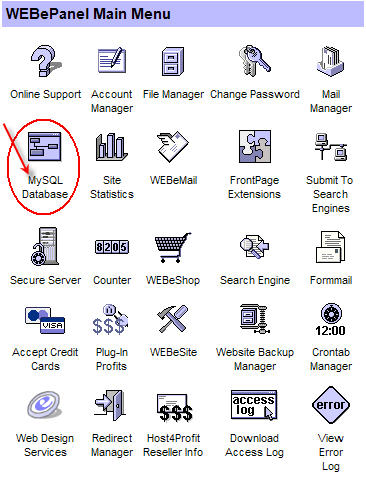
2. From the next screen click the "Add MySQL Database" button

That's it.
At Host4Profit.com all MySQL databases are numbered according to your domain name.
Normally you are allowed to create 3 MySQL databases.
- Your first one will be titled: yourdonain_com1
- The second one will be titled: yourdonain_com2
- And the third one will be titled: yourdonain_com3
If you have created ALL of your 3 databases, you can use an existing one. JVM will use a jvm_ and minima_ prefixes for the tables it needs, so there will be no intervention with your existing ones.
As for your MySQL username and password they are both displayed into the screen through which you can add your MySQL databases. (Step 2 above)